Get Shadowrocket on iPhone / iPad and connect for the first time
Get the app from the App Store on either device. First verify the listing and complete the purchase, then prepare your own server details. Installing the app, granting system permission, and importing a configuration are connected but separate steps.
Follow the same checklist for your first connection
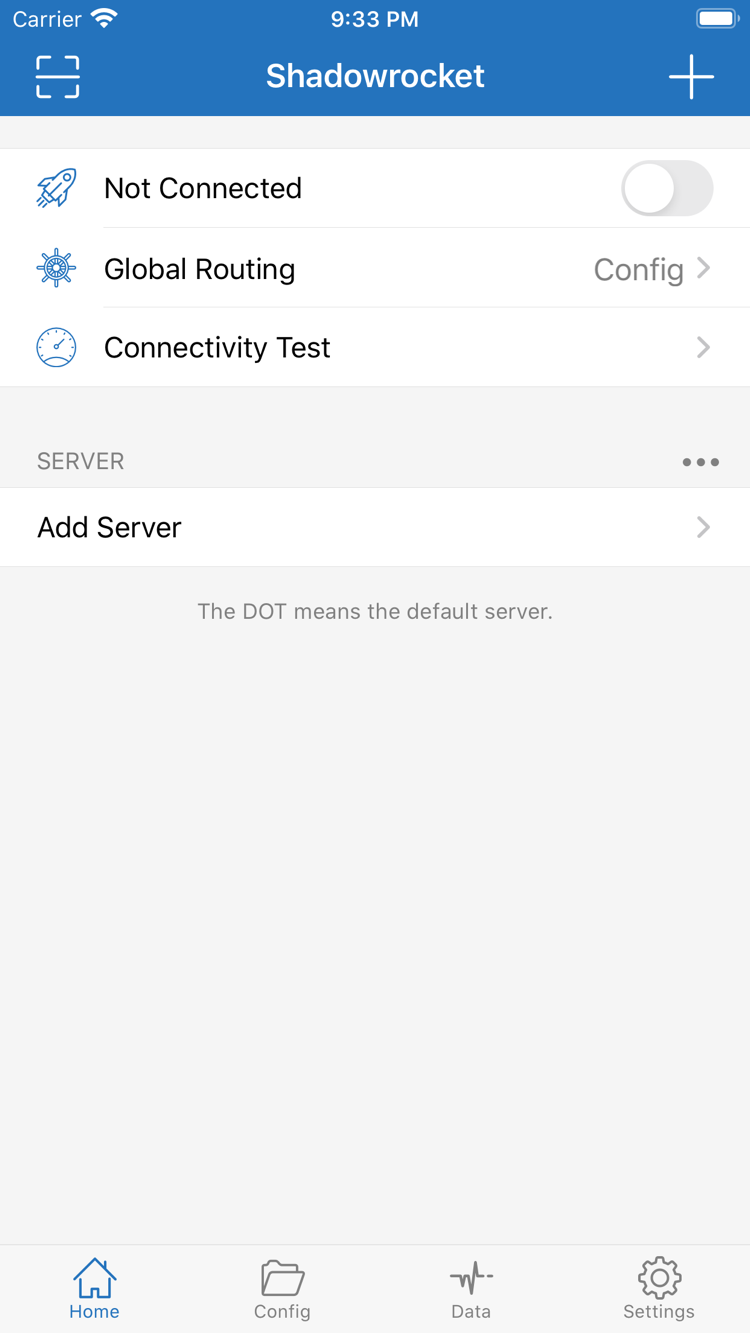
After installation, open Home and check whether your information is for an individual server or a subscription URL, then choose the corresponding import method. When entering details manually, check Type, Host, Port, and authentication fields one by one. After importing, make sure the list is complete before selecting an entry to test. Labels, region notes, and sort order can help identify entries, but cannot replace checking the parameters. Use the fields in your existing service details; do not guess real values from examples.
Next, check which configuration file is selected in Config, then choose a Global Routing mode. Config applies rules; Proxy and Direct help explain how traffic behaves along different paths, but a temporary troubleshooting setting is not a finished rules setup. After connecting, visit a clear test destination, then check Data and the behavior in the app you are using. A VPN status indicator means the connection configuration is enabled; it does not mean every domain uses the same route.
When something fails, first distinguish an import failure, a server test failure, and an issue affecting specific sites after connecting. For an import failure, check the input and make sure the address is complete. For a failed server test, check the network and connection parameters. If only certain sites fail, review the matching rules and name resolution. During troubleshooting, disable unnecessary automatic triggers, keep the original configuration, change one thing at a time, and record the results. For step-by-step instructions, see the user guide; for how settings relate across each stage, read the complete user manual.
First, distinguish three commonly confused concepts
A subscription is not a configuration file: subscriptions mainly manage server entries, while files in Config mainly manage rules and related settings. After updating one, check that the other still suits your needs. Latency tests are not the same as real-world performance: results depend on the test method and network conditions, so they cannot tell you on their own how quickly a page will load or how a sustained transfer will perform. Sync is not a backup: sync makes content available across devices; a backup lets you restore an earlier state. If a term is unfamiliar, look up Global Routing, FINAL, Subscribe, and On Demand in the glossary before returning to the app.